| |
FAQ
15 Easy Steps on how to
reach the "Shia Right Path" room :
|
1* Download the Chat Program
PalTalk from
www.paltalk.com or click on this link to directly Download
it .

2* The icon of the program you
download will look like this :

3* Now you Install the program by
double clicking the file you downloaded whose Icon looks like
the one above.
4* After installation is complete,
You will find the same icon sitting on your desktop named
PalTalk.
5* Double click that Icon and you
will get a screen as shown below:
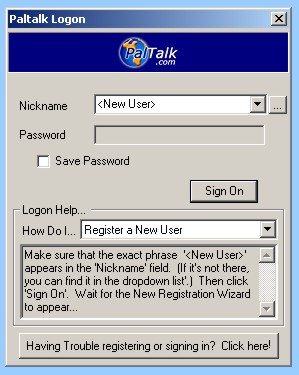
6* Click Sign on to Sign onto the
PalTalk server and register a NickName.
7* Registering a Nickname just
needs you to follow the instructions given by the program.
8* After you have registered a
NickName, you are ready to Logon to the PalTalk servers and
start chatting.
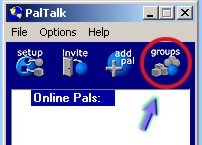
9* As soon as you Logon PalTalk
with your new NickName, a screen like below will appear:

10* Click on the Groups Icon found
on the Upper Right side of the PalTalk Window:
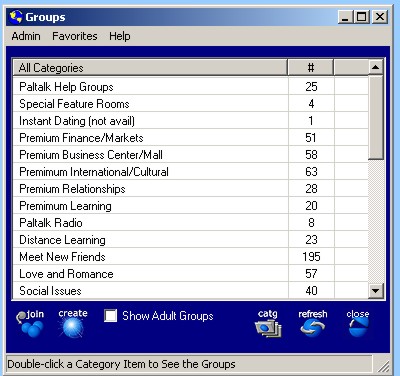
11* After clicking on that, you
will get a window known as the "Groups Window" as shown Below:
12* Scroll down all the way in that
window till you get up to a Category called Islam:
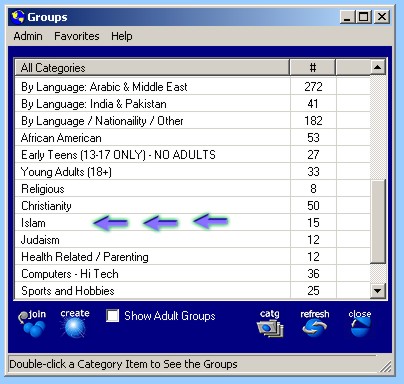
13* Double Click on "Islam" and you
will get all the Rooms available in the "Islam" Category, All
you have to do now is look for a room called :
" Shia The Right Path":
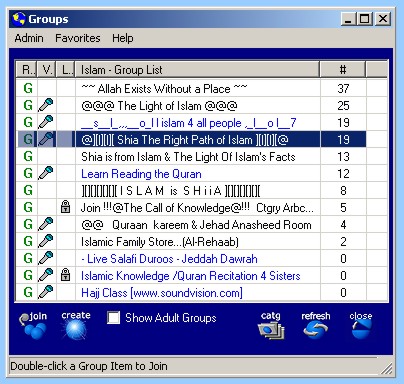
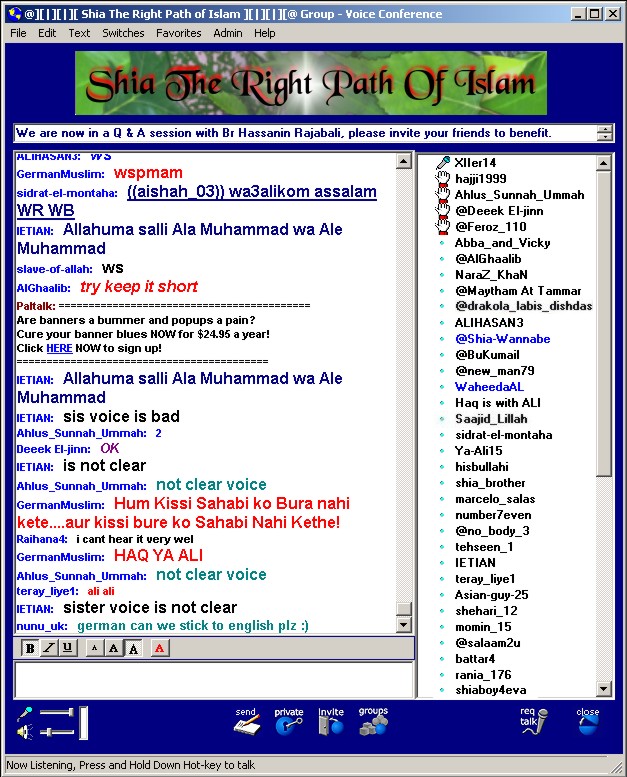
14* Click on the Room name, and you
are there..... You will find all your brothers and sisters
waiting to give you from what they know.
15* Hope to see you there soon
Inshallah :D
|
|

